
“I made a Reveal video from the listing photos during my lunch break. It was ready to post in minutes and helped the property get more attention.”
AI listing videos for real estate
Turn your listing photos into cinematic real estate reveal videos - in minutes.
Upload your listing photos. Our AI stages, renovates and reveals - ready for Instagram in minutes. No filming. No videographer.
No credit card required · MLS-safe by default
See it in motion
A cinematic reveal, made from a single photo.
No drone, no crew, no scheduling. Just one MLS photo you already uploaded - turned into a scroll-stopping before/after reveal with a built-in disclosure overlay.
Made from 1 MLS photo. Nothing was filmed.
9:16 - built for Reels, TikTok and Shorts
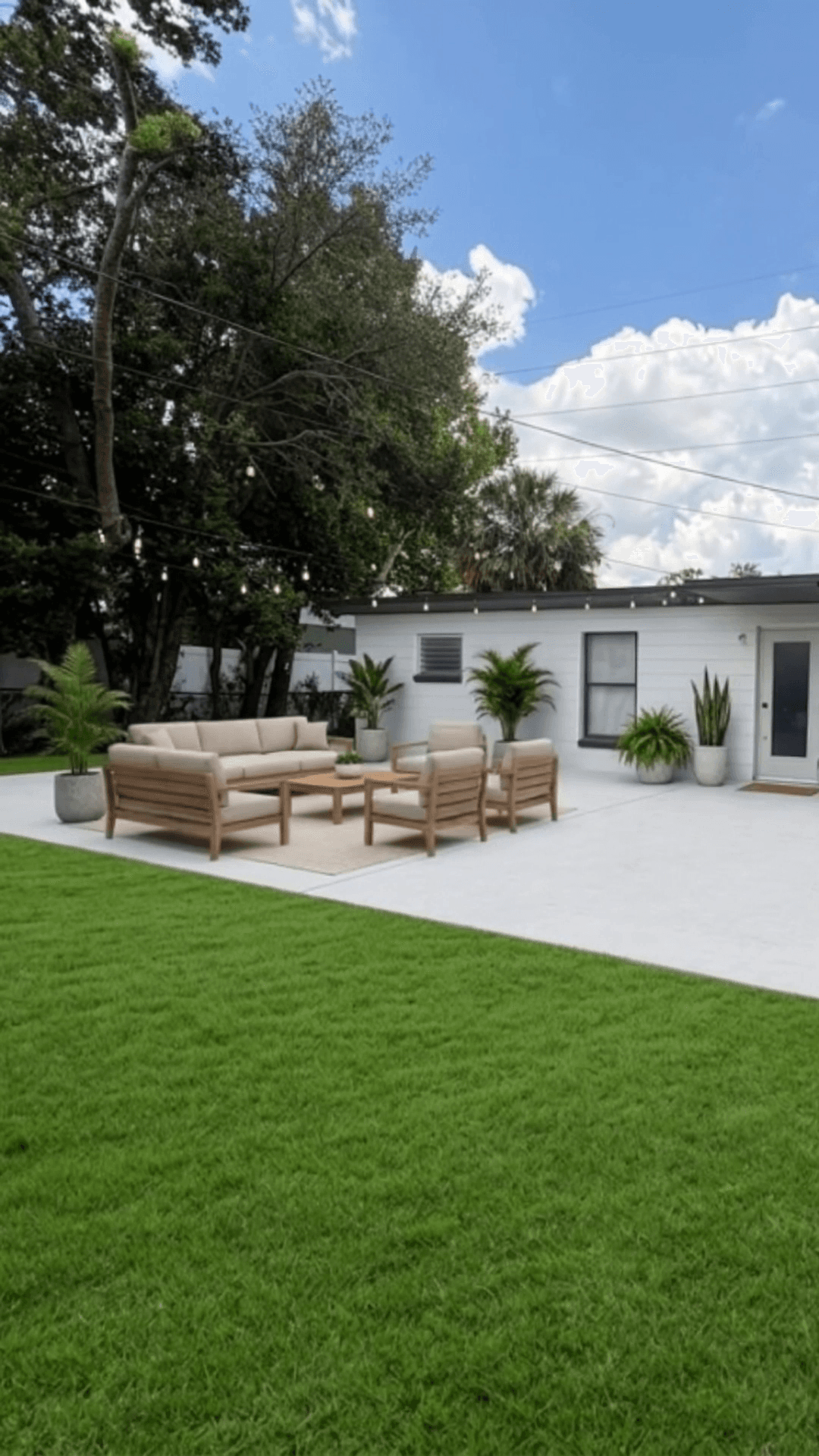
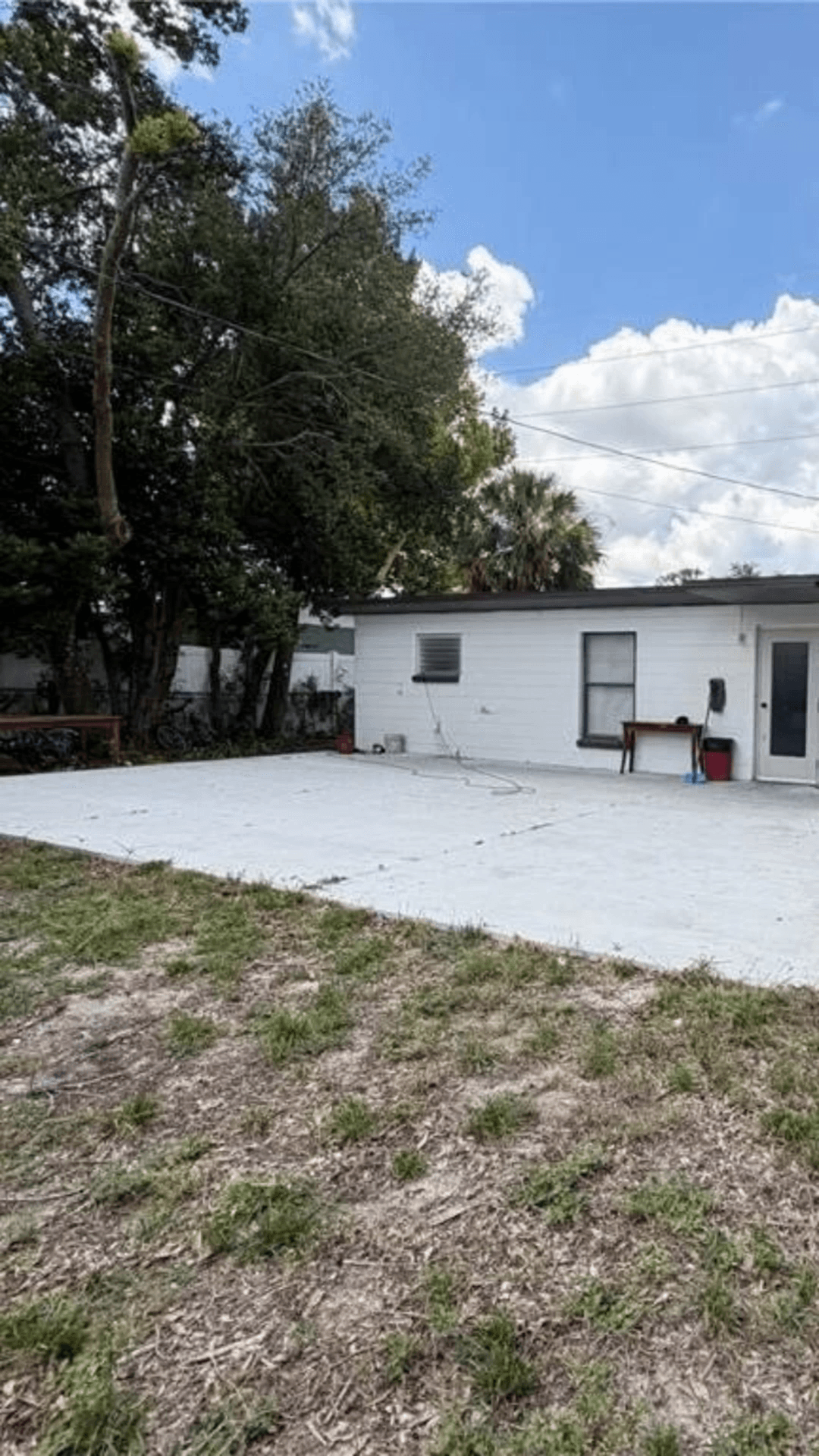
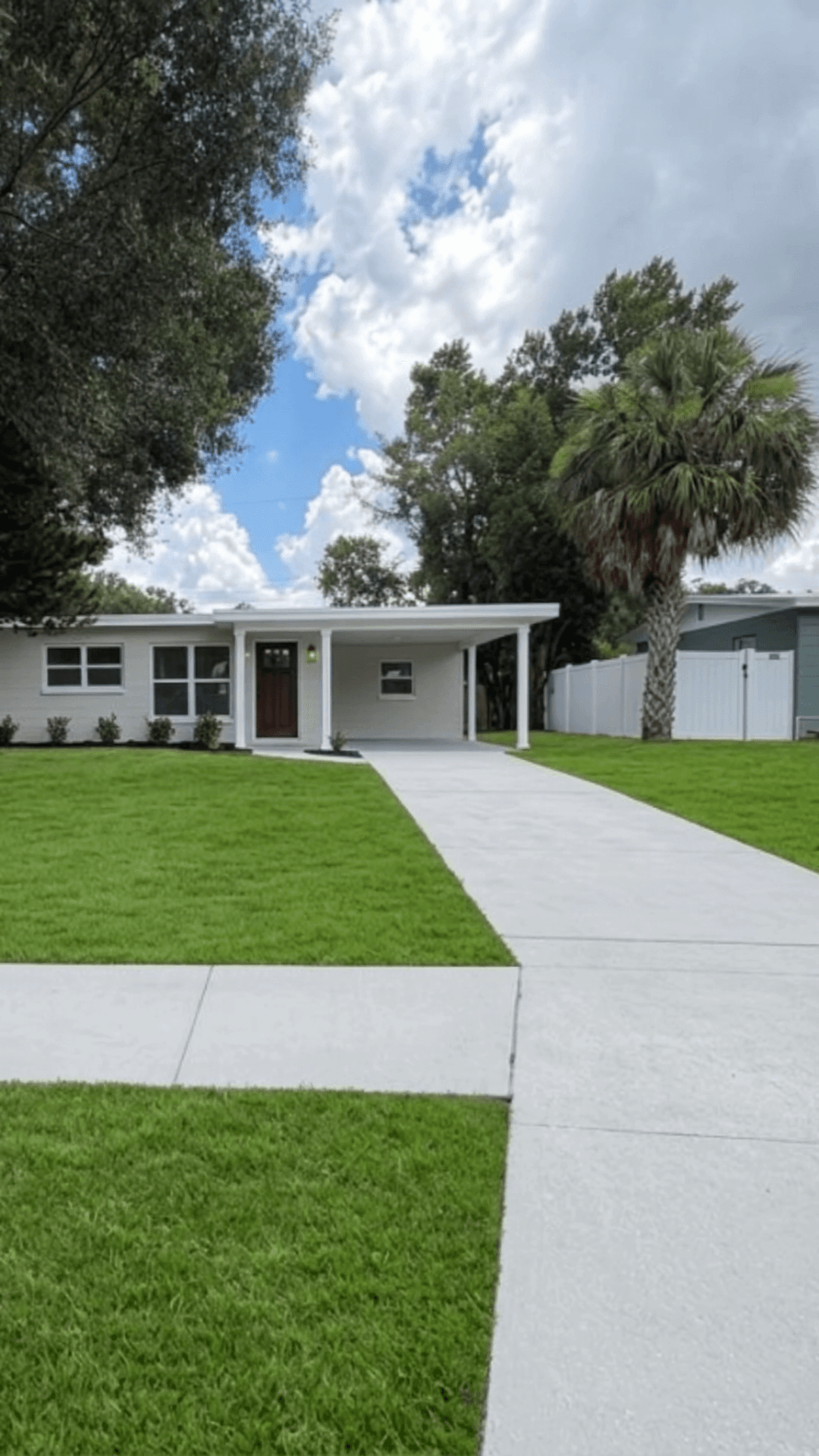
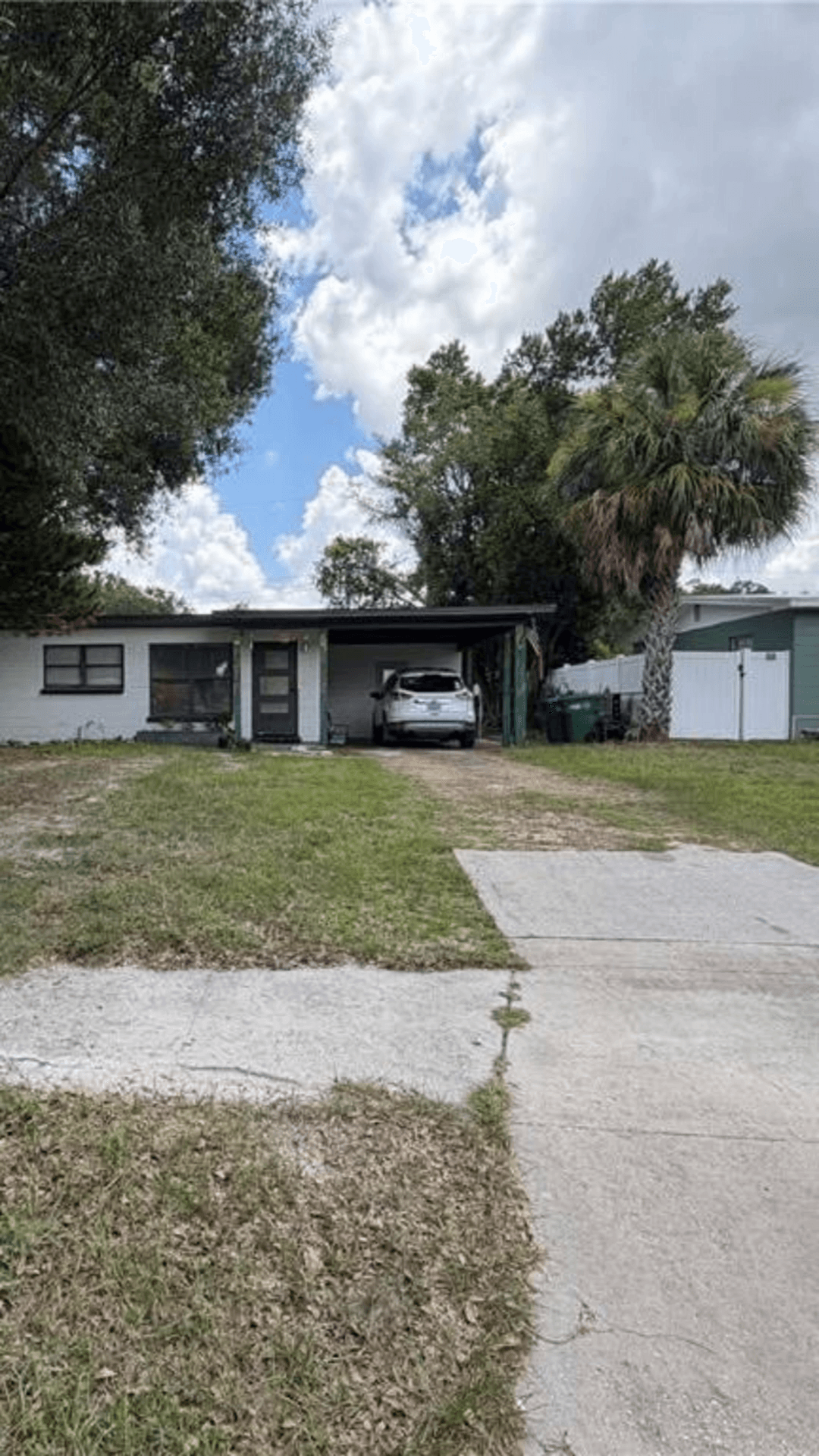
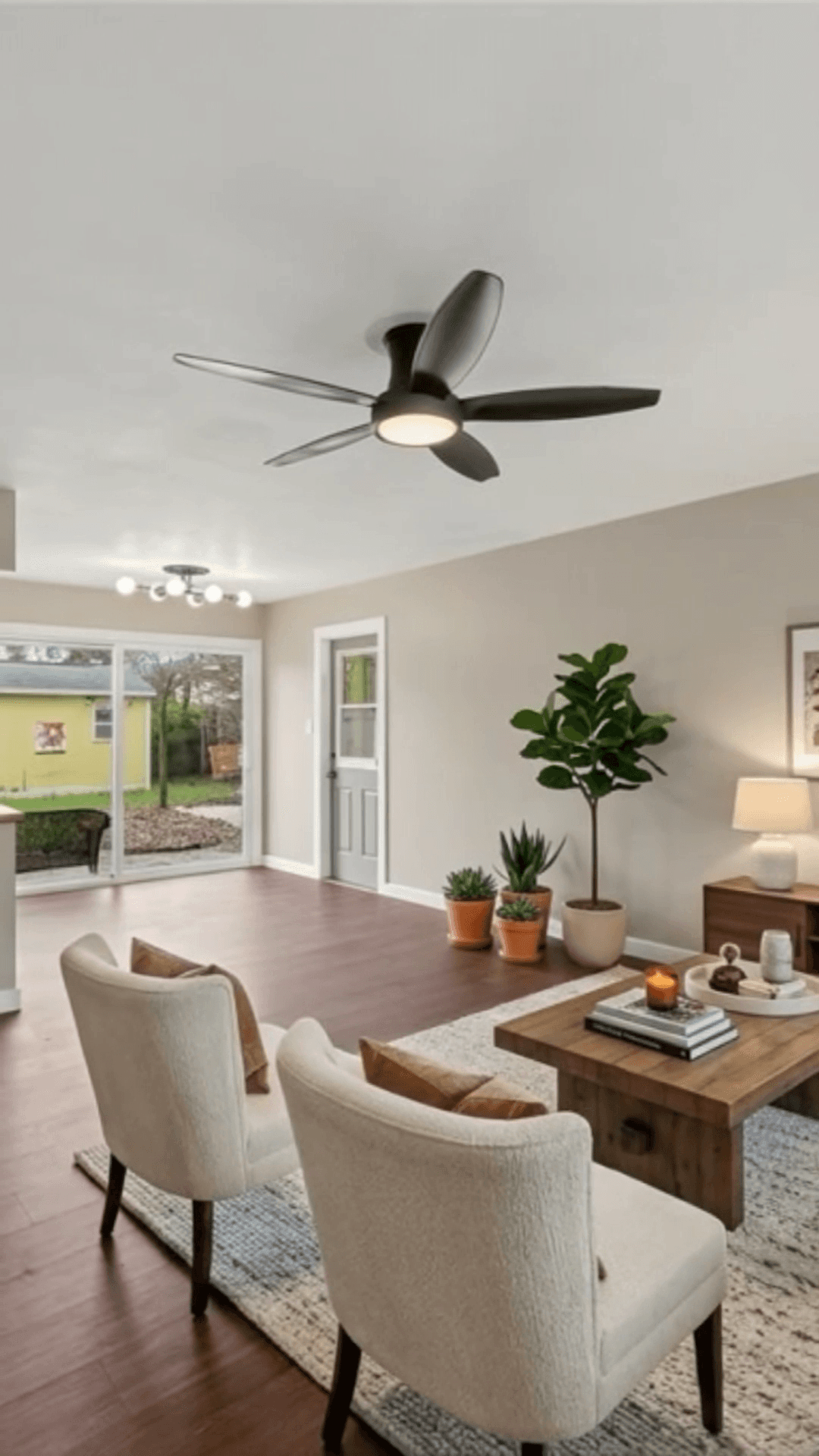
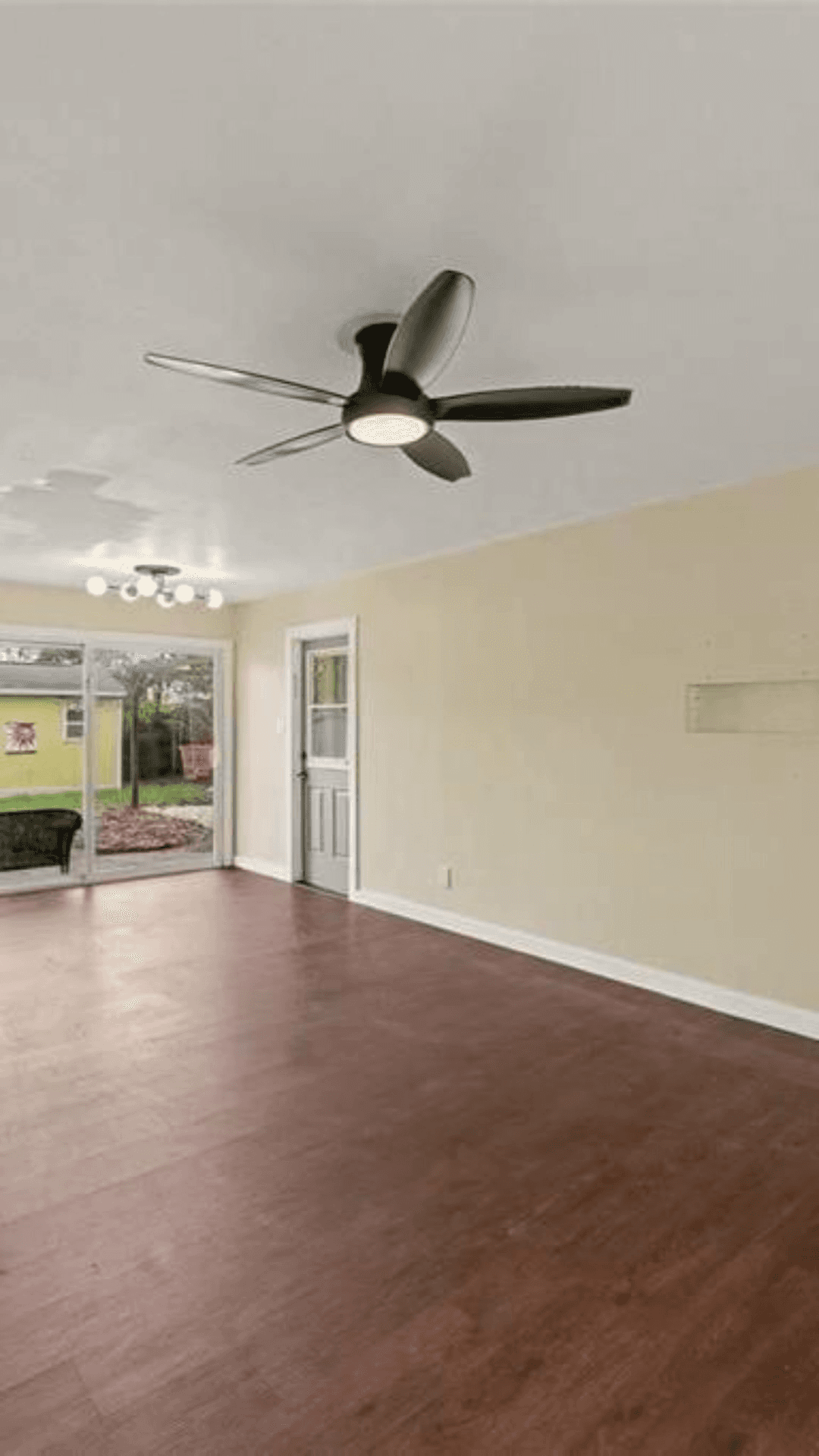
Before / after
Empty rooms become the ones buyers save.
Drag to compare the original MLS photo with a staged frame from the finished reveal.
How it works
Three steps. No camera required.
- 01
Upload your listing photos
- 02
Pick a style
- 03
Download your reveal video
More than listings
One tool for your whole content calendar.
Keep posting between listings - recaps, market updates and branding clips from the same photo library.
Listing Reveals
Cinematic before/after tours from raw MLS photos.
Just-Sold Recaps
Celebrate every close with a share-ready recap.
Market Updates
Turn your monthly numbers into a polished clip.
Neighborhood Spotlights
Position yourself as the local area expert.
Agent Branding Clips
Intro reels that keep your brand consistent.
“The transformation videos make it easier for buyers to see the potential in dated properties. I also like that the staging disclosure is added automatically.”
“I use PropertyClips when hiring a videographer doesn't make sense. The videos are quick to create, look polished, and already match my branding.”
Every video includes a “virtually staged” disclosure overlay - MLS-safe by default.
Pricing
Plans that pay for themselves
Listings with video get more attention, more showings and faster offers. Every plan is MLS-safe by default and cancellable anytime - or pause for $9/mo and keep your presets and reels.
One reel = one finished video, built from up to 6 photos. Make listing reveals, just-sold recaps, market updates and more.
Starter
Get every listing in front of more buyers.
5 reels per month
$99/mo
billed monthly
Get started- 9:16 vertical format
- 1080p video quality
- Reveal video style
- Video editor
- Priority queue
Need more? $19 per extra reel.
Most popular
Pro
Keep your listings moving - and your feed full.
10 reels per month
$149/mo
billed monthly
Get started- Everything in Starter
- All video styles - Cinematic, Luxury Tour, Quick Flip & more
- 16:9 format available for Youtube
- AI voiceover
- Royalty free background music
Need more? $16 per extra reel.
Team
Every agent's listings, selling faster.
20 reels per month
shared across your team
$299/mo
billed monthly
Same per-reel price as Pro. Team adds a shared pool, up to 5 seats, a central brand kit and an admin dashboard - not a volume discount.
Get started- Everything in Pro
- Up to 5 seats
- Central brand kit
- Admin dashboard
- Priority support
Need more? $14 per extra reel.
Book a demoOne extra listing sold pays for years of PropertyClips AI.
FAQ
Questions, answered.
Do I need to film anything?
No. PropertyClips AI works entirely from the listing photos you already have. No camera, no crew, no site visit - upload your MLS photos and our AI does the rest.
Is this MLS-compliant?
Yes. Every video includes an automatic "virtually staged" disclosure overlay, so your reveals are MLS-safe by default. You can adjust placement, but it can't be removed.
How long does a video take?
Most reveals render in a few minutes. Pro accounts move through a 24-hour priority queue, and finished videos are ready to post straight to Instagram, Reels or TikTok.
What photos work best?
Bright, straight-on room photos at the highest resolution your MLS allows. Each video uses four to six photos - one per scene - covering the main rooms for the strongest reveal.
What counts as one video?
One reel is one finished video, built from up to 6 photos - one before/after scene per photo, assembled with music, text overlays, your branding and the mandatory virtually-staged disclosure. Make it from a listing, a just-sold, a market update or anything else.
What if I don't use all my reels this month?
They roll over, up to double your monthly amount, so quiet months are never wasted.
What if I need more reels than my plan includes?
Extra reels start at $14 each (Team) up to $19 (Starter), or you can upgrade any time - whichever works out better for the month.
Can my whole team use it?
Yes. The Team plan includes up to 5 seats and a shared pool of 20 reels a month, plus a central brand kit and admin dashboard so every agent stays on-brand.
Can I cancel anytime?
Anytime - no contracts. If you want to keep your presets and unused reels between busy seasons, you can pause your plan for $9/mo instead of cancelling.
Your next listing could be your best reel.
Upload a set of photos and watch your first reveal render in minutes.